PDF takeoff software

Vector

Takeoff straight from the PDF. Load a drawing, set the scale once, measure areas, lengths and counts, then turn those markups into clear totals and exports - built for small trade contractors and construction businesses who want measured quantities without a complicated setup.

Download Vector
£39.99 $47.99 Free trial available
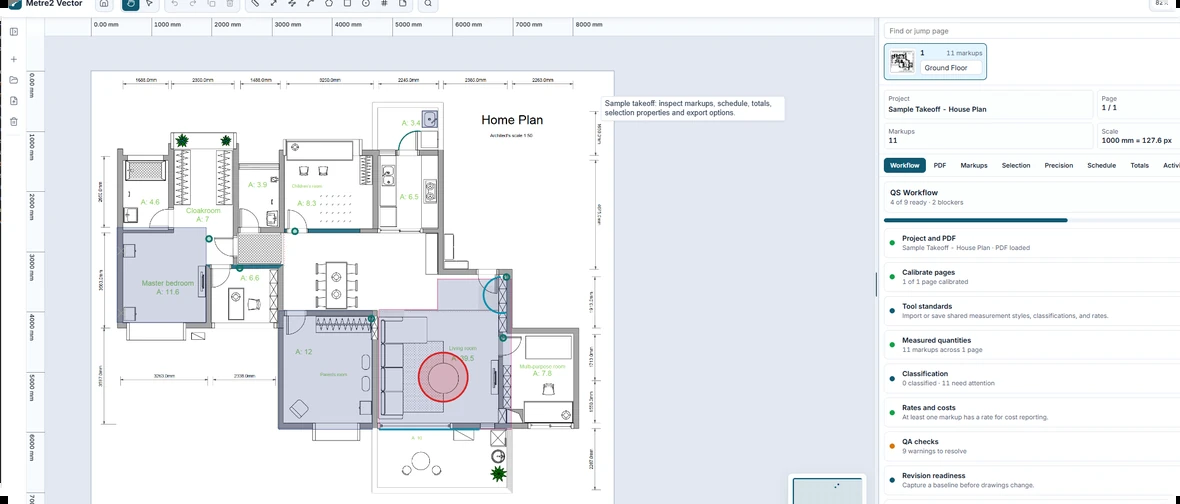
Vector takeoff workspace showing measured quantities against a PDF drawing

Scale once, measure anywhere on the page

Set the drawing's scale a single time, then measure lengths, areas and counts directly against the PDF - no re-scaling per sheet, no separate ruler tool.

Markups become totals

Every measurement rolls up into clear totals you can export, so the takeoff you do on-screen is the same one that ends up in your estimate.

One account across Metre2

Sign in with the same Metre2 account used across the portfolio - no separate password to manage, and feedback goes straight to the team from inside the app.

Takeoff, in practice

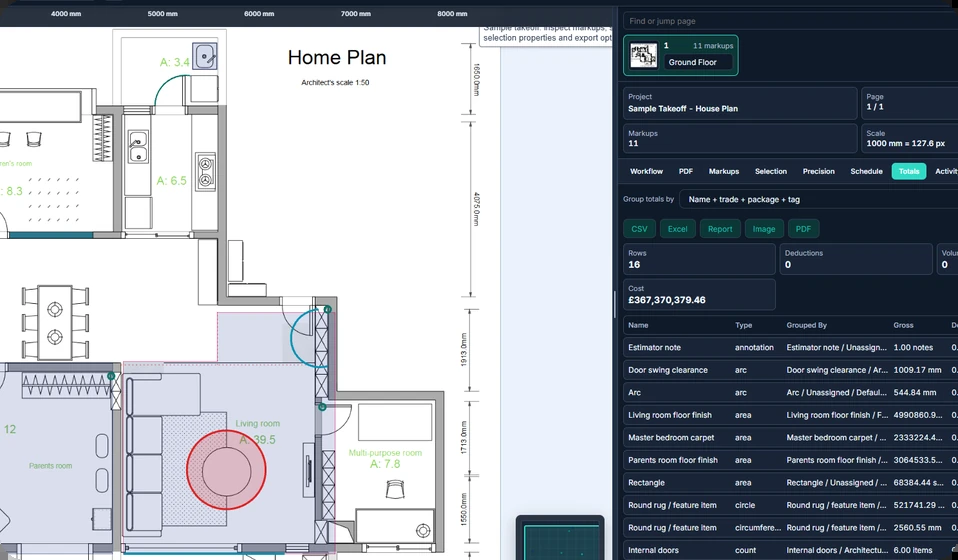
A closer look at estimating and takeoff work happening straight against the drawing.

Frequently asked questions

Do I need to install anything to use Vector?

Vector is a Windows desktop app, free to try from the Microsoft Store - open a drawing straight from the PDF, no separate viewer or plugin needed.

Does my Vector account work in other Metre2 apps?

Yes. Vector uses Metre2's shared account system, so the same login works across every Metre2 app as they move onto the same account, including Forma.

Who is Vector built for?

Small trade contractors and construction businesses who want measured quantities from PDF drawings without a complicated setup - setting a scale once, then measuring areas, lengths and counts straight from the page.

How much does Vector cost?

£39.99 ($47.99 in the US), one-off. No subscription and no metered pricing - buy it once and it's yours permanently.

Ready to measure your first drawing?

£39.99 $47.99