Assets and licence seats, tracked per staff member
Laptops, phones, monitors and other kit, plus software licence seats - each assigned to a named staff member, so nothing goes untracked when someone joins, moves role or leaves. One "Offboard" action releases everything from a leaver in a single step.
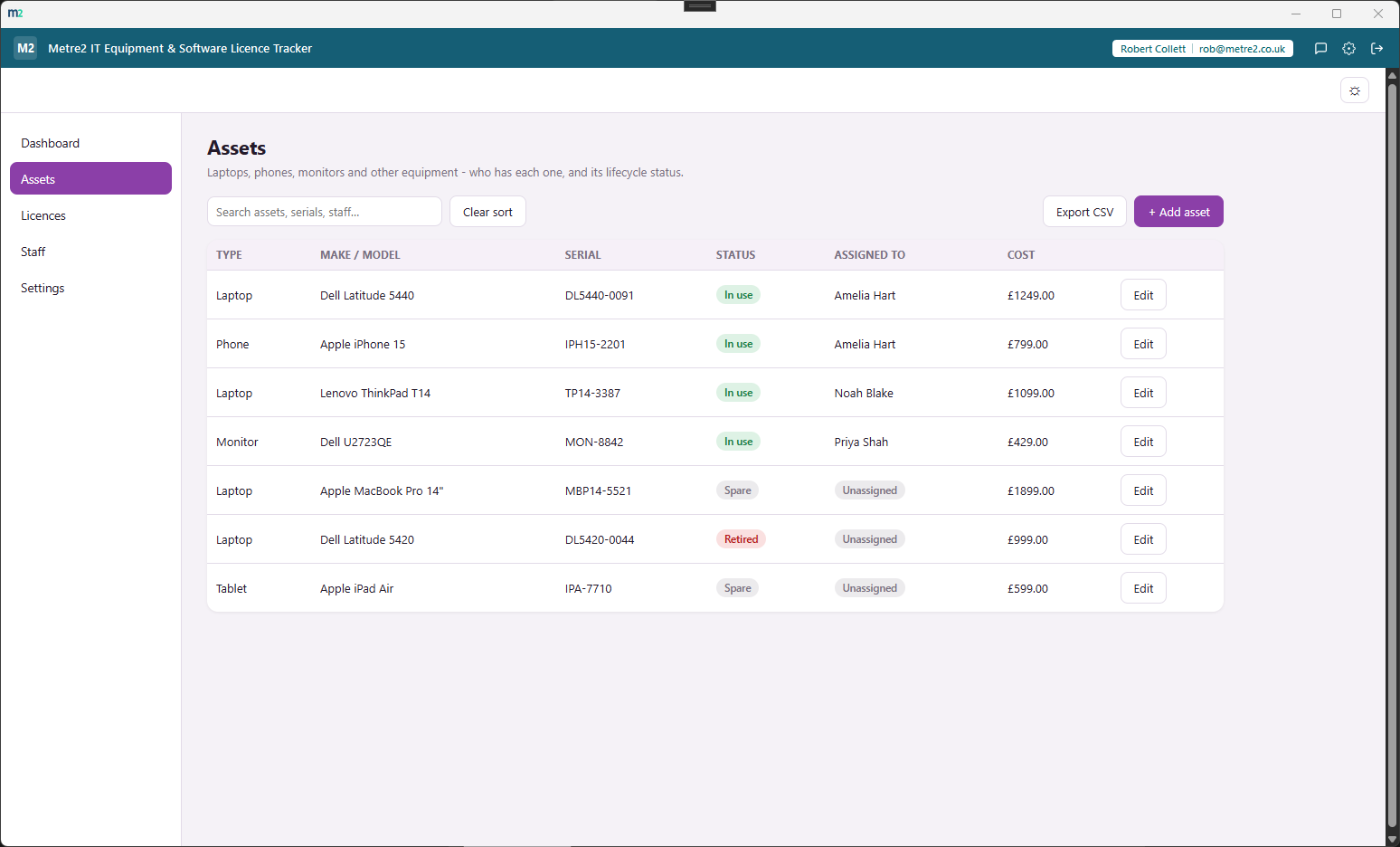
Assets - every laptop, phone and monitor, its status and who has it
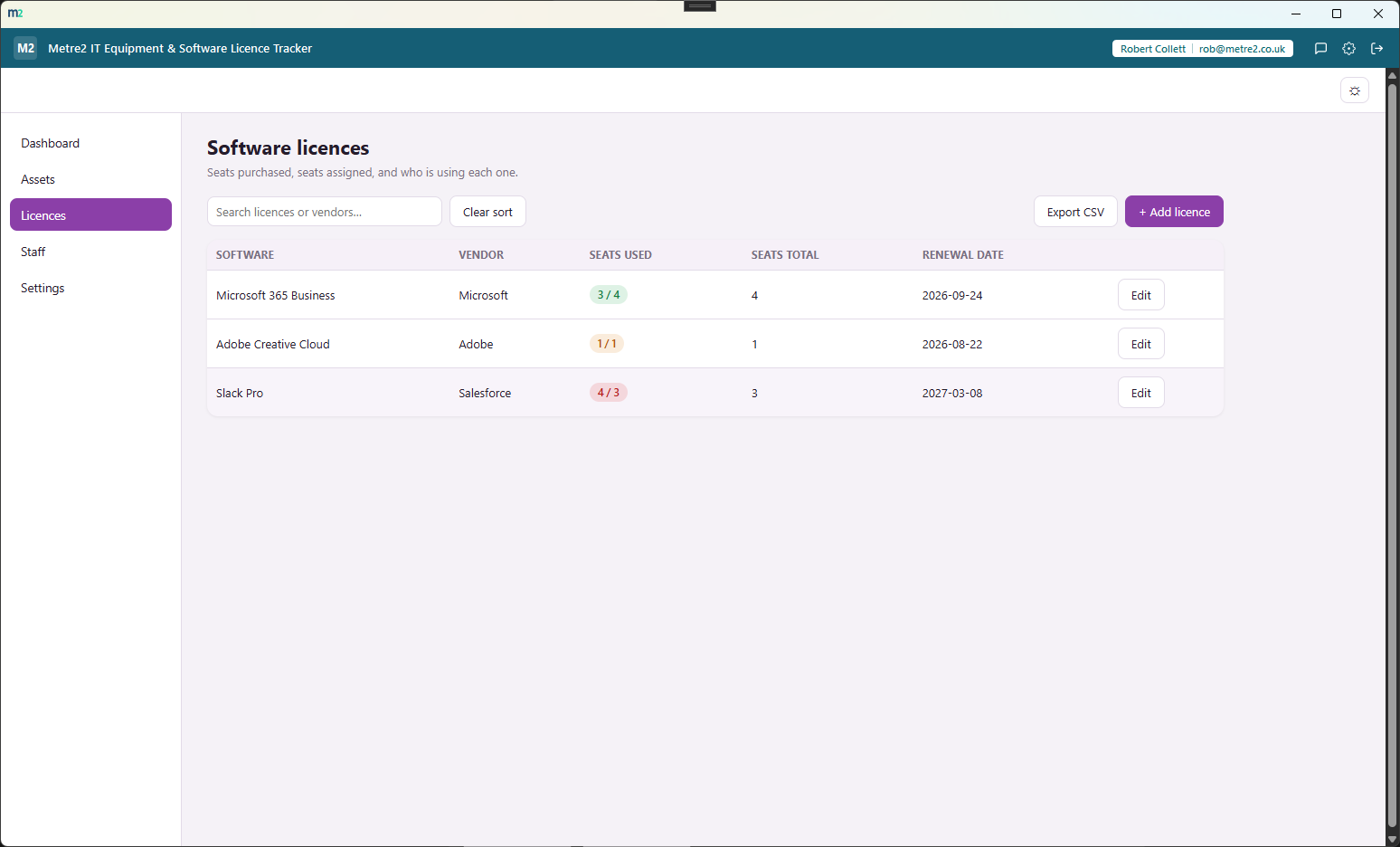
Licences - seat usage at a glance, with renewal dates and over-capacity flags
Staff - see who's active or left, and offboard a leaver in one step
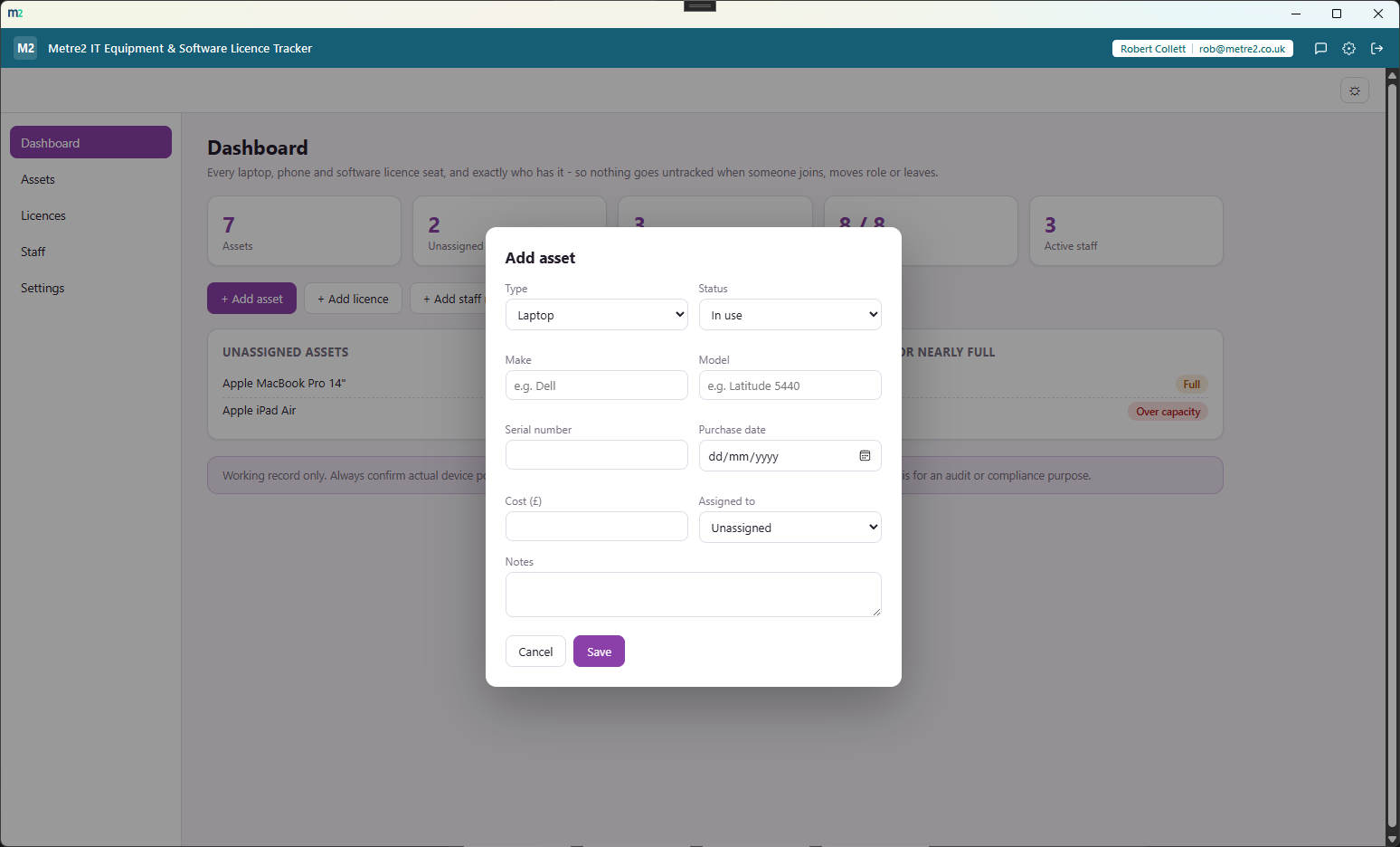
Adding an asset - type, status, make/model, serial, cost and an optional assignee
Laptops, phones, monitors and other kit - type, make/model, serial, cost and status, with an optional assignee so you always know who has what.
Each licence has a total seat count; assign and release individual seats to named staff, with an over-capacity flag if you've assigned more than you own.
Offboard a leaver and every asset they held is released back to Spare, every licence seat they held is freed, and their record is marked left - all in a single action.
The Staff view lists every asset and every licence seat currently assigned to each person, alongside their active/left status - no cross-referencing two spreadsheets.
Find an asset by make, model, serial or assignee, or a licence by name - with status and category filters to keep a growing inventory quick to scan.
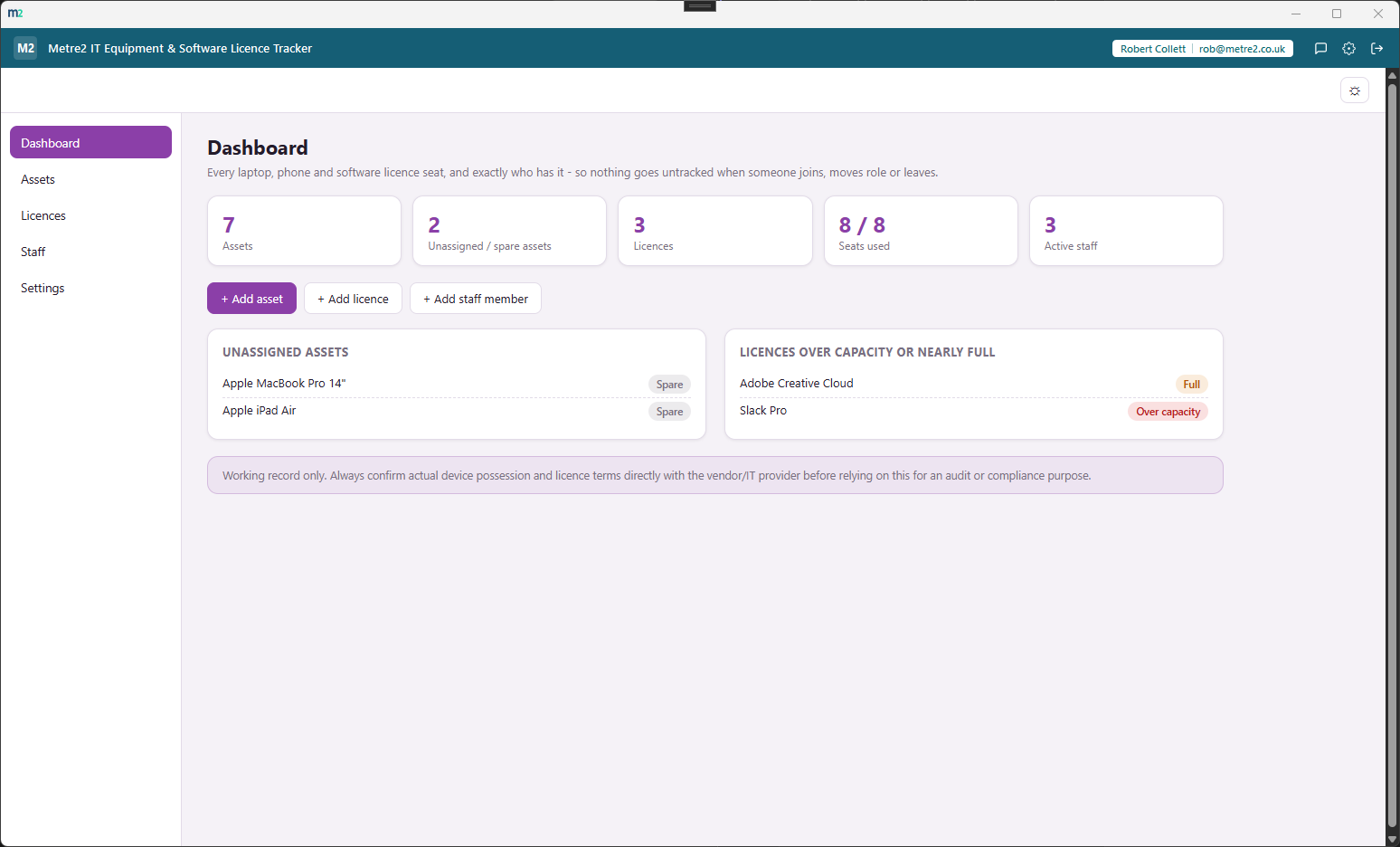
Total assets, unassigned/spare count, licence seats used against total, and active staff count stay on screen regardless of which view you're on.
Export the asset list or the licence list to CSV whenever you need a snapshot for an audit, an insurance claim or a budget review.
"Load sample" fills the tracker with a realistic mix of staff, assets and licences - including a leaver and a spare asset - so every view has real content immediately.
A one-click theme toggle that persists between sessions, matching the shared look and feel across every Metre2 desktop app.
Everything lives in local storage on your device - no account, no server, no internet connection required to use it day to day.
No barcode scanning, no procurement workflow, no help-desk ticketing - just who has what, and a clean way to hand it all back when they leave.
Most small and mid-sized businesses either track IT kit and licences in a spreadsheet that drifts out of date, or pay for a full IT asset management (ITAM) platform they don't need. Here's how a dedicated, focused tracker compares.
| Feature | IT Equipment & Software Licence Tracker | A spreadsheet | Full ITAM platform |
|---|---|---|---|
| Pricing model | £0.79 one-off after trial | Free (if you already have Excel/Sheets) | Per-device or per-user monthly subscription |
| Works fully offline | ✓ | ✓ (local files) | ✕ (cloud-hosted) |
| One-step leaver offboarding | ✓ | ✕ (manual row-by-row edits) | ✓ (often bundled with HR/SSO integrations you don't need) |
| Licence seat capacity tracking | ✓ | ✕ (manual count, easy to lose track) | ✓ |
| Purpose-built structure - no drifting columns | ✓ | ✕ (structure erodes over time) | ✓ |
| No account required to set up, no per-device agent | ✓ | ✓ | ✕ |
General comparison as of August 2026 - features and pricing vary by spreadsheet tool and by ITAM platform. Not sponsored by or affiliated with any spreadsheet or ITAM vendor.
It's a Windows desktop app, certified and live on the Microsoft Store.
Subscription & Contract Renewal Tracker tracks the business's own recurring bills and renewal dates. IT Equipment & Software Licence Tracker tracks who has which physical asset or licence seat right now - not when a contract renews.
One "Offboard" action releases every asset assigned to that person back to Spare, frees every software licence seat they held, and marks their staff record as left - all in one step, so nothing is forgotten.
Type (laptop, phone, monitor, etc.), make/model, serial number, purchase cost, status (in use, spare, retired), and who it's assigned to, if anyone.
Each licence has a total seat count; you assign and release individual seats to named staff members, and the app flags when a licence is over capacity or has unused seats.
Yes - the Staff view lists every asset and every licence seat currently held by each person, alongside their status (active or left).
Everything persists on your device between sessions - nothing is uploaded anywhere. The app works entirely offline with no server dependency, and data doesn't currently sync across multiple devices.