Notepad, but it doesn't lose your notes

Metre2 Fast Notes

A fast, always-available scratchpad - a vertical colour-coded tab rail for as many open notes as you like, instant autosave with no save dialogs ever, and an always-on-top pin mode for copy-paste reference while working in another window.

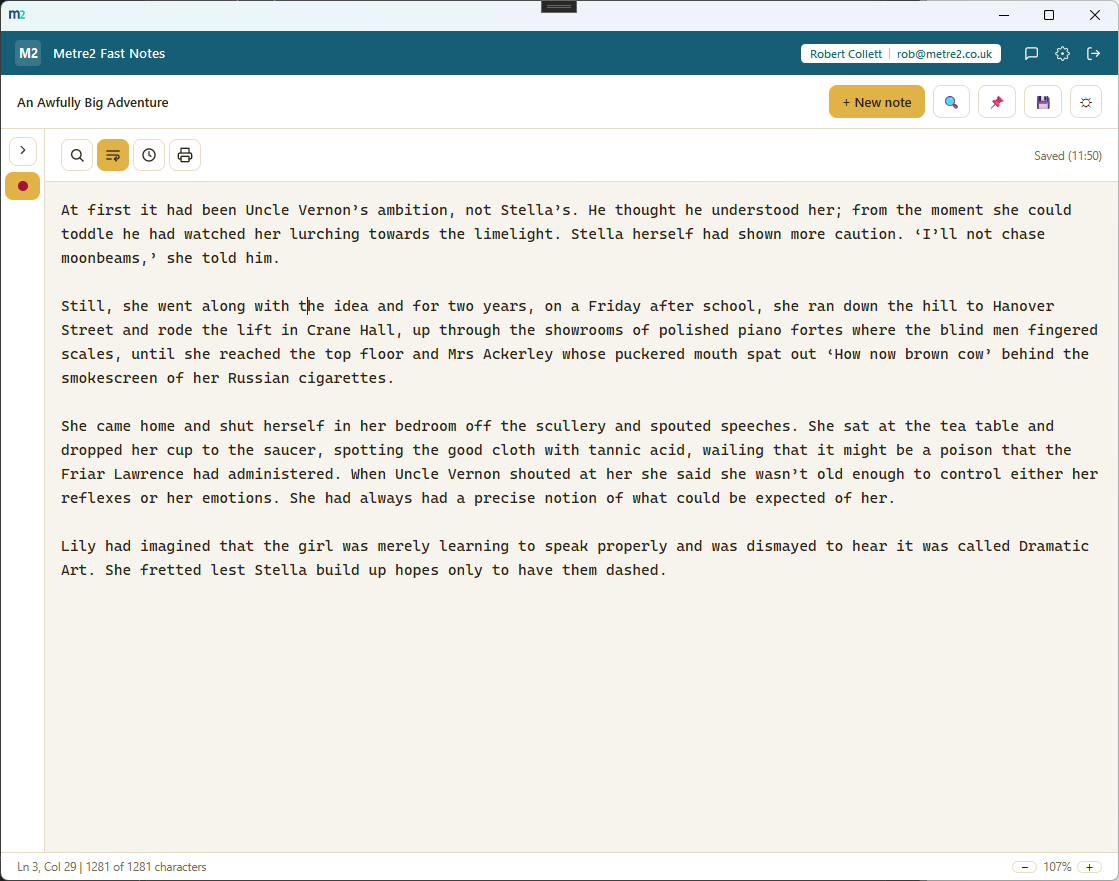
Metre2 Fast Notes in light theme, showing the colour-coded tab rail next to an open note with the status bar visible

Metre2 Fast Notes, in practice

A vertical tab rail, not a code-editor strip

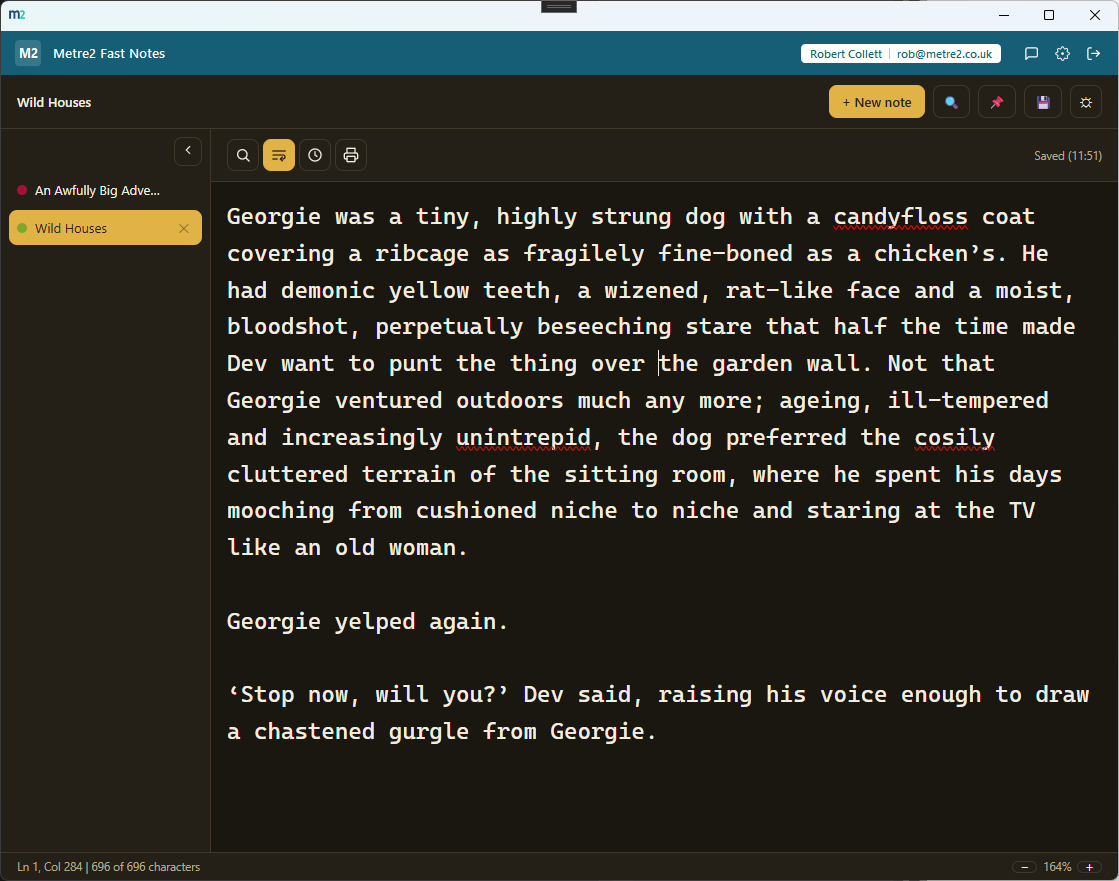
Every open note gets a full-width row down the left edge with its own colour dot - not the cramped horizontal tabs of a code editor, and not a folder tree to navigate.

Instant autosave, no save dialogs ever

Every keystroke is saved to your device shortly after you stop typing. No save button, no "do you want to save changes?" prompt, no risk of losing a note to a forgotten Ctrl+S.

Always-on-top pin mode

One click keeps the window above everything else on screen - copy a phone number, a code, a reference while working in another app, without alt-tabbing back and forth.

Open as many notes as you want

No limit on how many notes you keep open at once - each one lives in its own tab, switching is a single click, and closing one is just as quick.

Colour-coded at a glance

Pick a colour per note from a small swatch set - a quick visual anchor for finding the right note in a busy tab rail without reading every label.

Titles you never type

A note's tab label is always its own first line - start typing and the tab names itself, no separate "name this note" step to interrupt you.

Light or dark, your choice remembers itself

A one-click theme toggle that persists between sessions, matching the shared look and feel across every Metre2 desktop app.

Deliberately thin

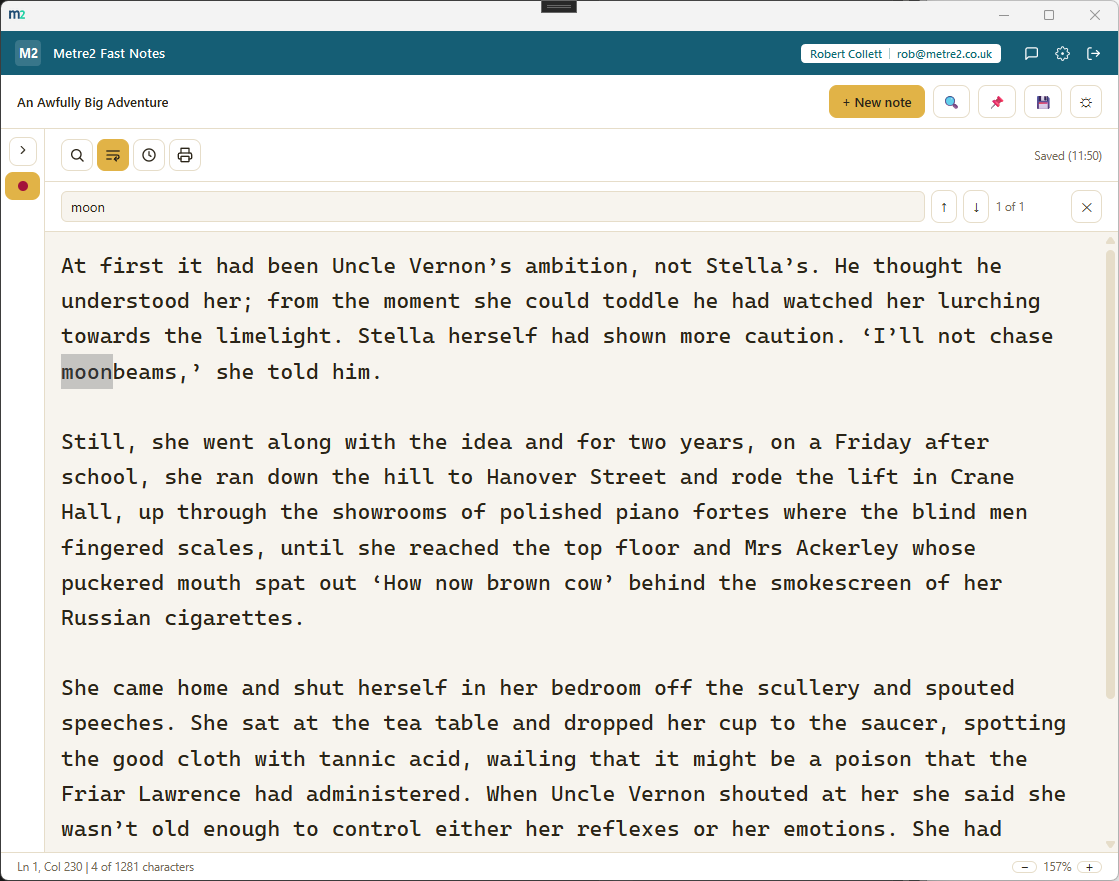
Plain text only - no notebooks, tags or search. That richer feature set is Metre2 Notebook, a separate app rather than a mode of this one, so Fast Notes stays fast.

Works entirely offline

Everything lives in local storage on your device - no account, no server, no internet connection required to use it day to day.
How it compares to Notepad or a full notes app

Notepad is fast but forgetful - one file at a time, and a save dialog for anything you don't want to lose. A full notes app solves that but adds structure and setup you didn't ask for when all you wanted was somewhere to jot something down. Here's how a focused, tab-rail scratchpad compares.

Feature Metre2 Fast Notes Windows Notepad A full notes app (Notebook/OneNote-style)
Pricing model £0.79 one-off after trial Free, built into Windows Often free with paid tiers, or a subscription
Multiple notes open at once (unlimited tab rail) (one file, or separate windows)
Instant autosave, no save dialog (prompts to save on close) (usually)
Always-on-top pin mode (rarely a built-in mode)
Notebooks, tags, search, rich formatting (deliberately thin - see Metre2 Notebook)
Works fully offline (often built around cloud sync)

General comparison as of August 2026 - features and pricing vary by notes app. Not sponsored by or affiliated with Microsoft or any note-taking software vendor.

Frequently asked questions

Do I need to install anything to use Metre2 Fast Notes?

Metre2 Fast Notes is a Windows desktop app, free to download from the Microsoft Store with a 24-hour trial.

How is this different from Windows Notepad?

Notepad opens one file at a time and forces a save dialog for anything you don't want to lose. Fast Notes keeps as many notes open as you like in a colour-coded tab rail, autosaves every note as you type with no dialog ever, and adds an always-on-top pin mode for copy-paste reference.

What is the tab rail?

A vertical strip down the left edge, one row per open note, each with a colour dot for quick visual identification and a label that tracks the note's own first line. It is not the horizontal tab strip of a code editor and not a folder tree - just a flat, scrollable list of everything you have open.

How does autosave work?

Every keystroke is saved to your device shortly after you stop typing - there is no save button, no save dialog and no risk of losing a note to a forgotten Ctrl+S. A small "Saved"/"Saving..." indicator confirms it.

What does the pin/always-on-top mode do?

One click keeps the Fast Notes window above every other window on your screen, so you can keep a note visible while copying details into another app - a phone number while filling in a form, a code while pasting it elsewhere - without alt-tabbing back and forth.

Can I format text, add tags or organise notes into folders?

No, deliberately not. Fast Notes is plain text only, with no notebooks, tags or search - that richer feature set belongs to Metre2 Notebook, a separate app. Fast Notes stays a genuinely fast, no-friction replacement for Notepad rather than a cut-down version of something bigger.

Where does my data go?

Everything persists on your device between sessions - nothing is uploaded anywhere. The app works entirely offline with no server dependency, and data doesn't currently sync across multiple devices.

Ready to try Metre2 Fast Notes?