Build multi-tier design proposals - Essential, Enhanced, Premium - from a reusable item
library, add a reference-image moodboard so the client sees the look alongside the
price, and track which tier actually wins on a dedicated comparison board.
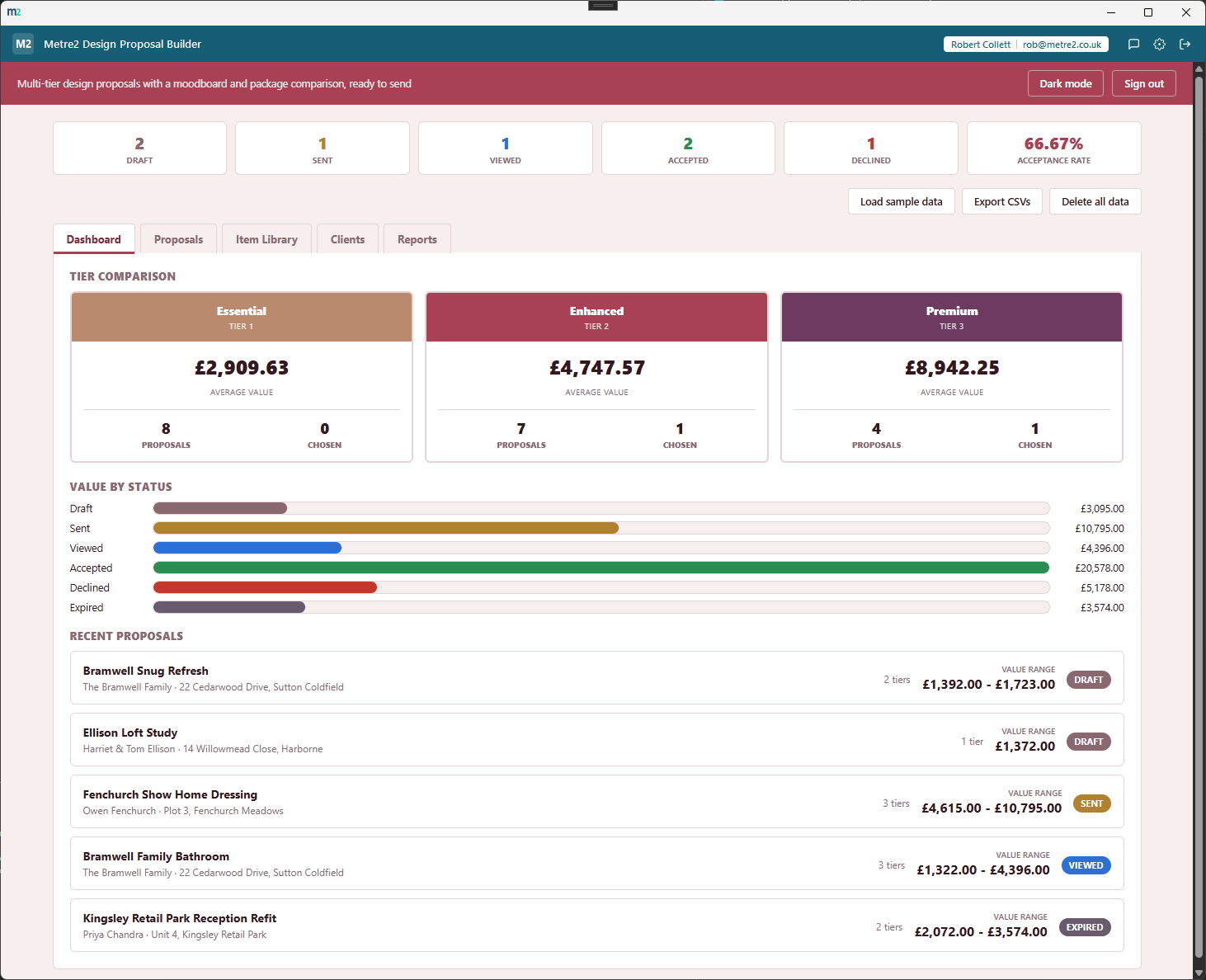
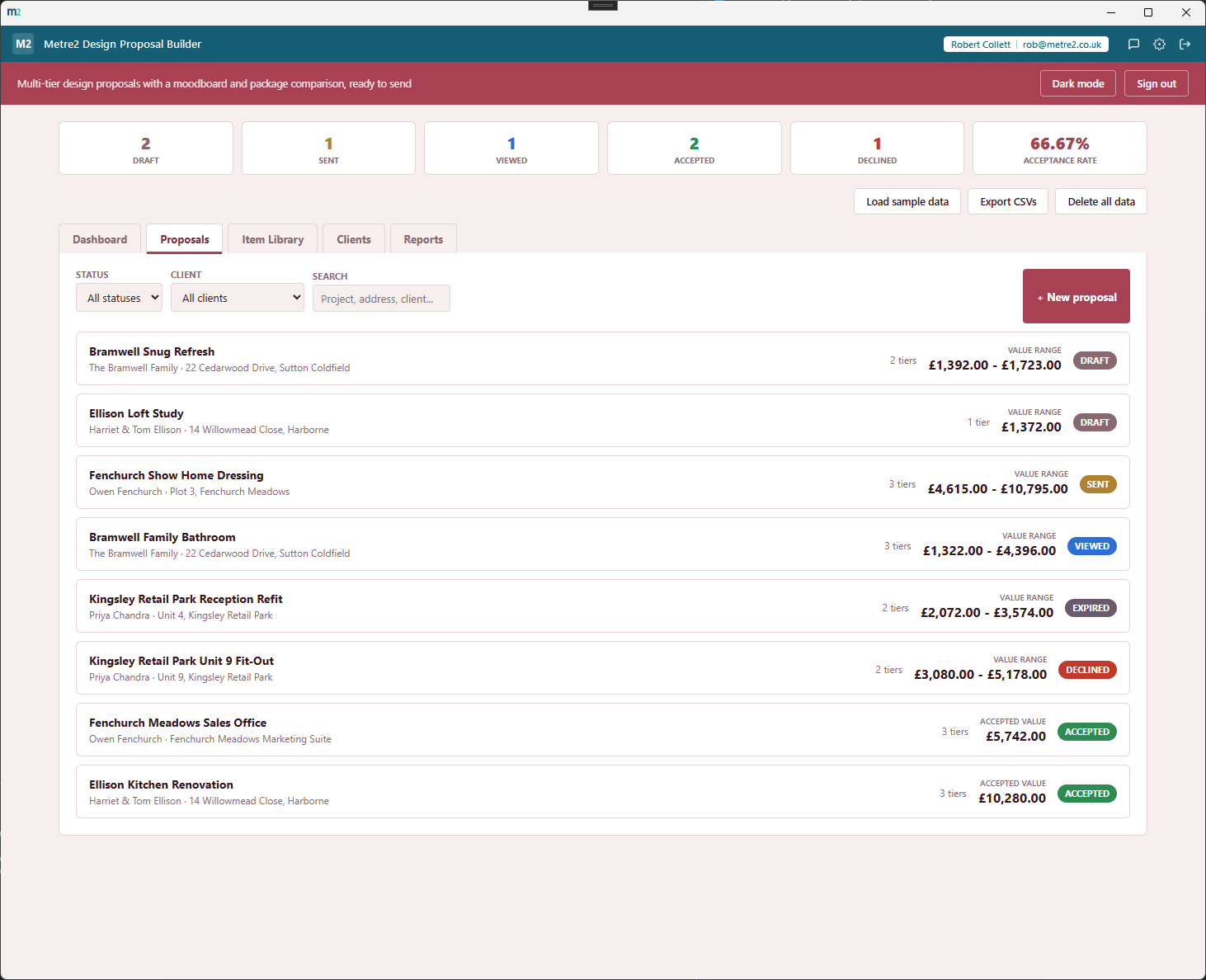
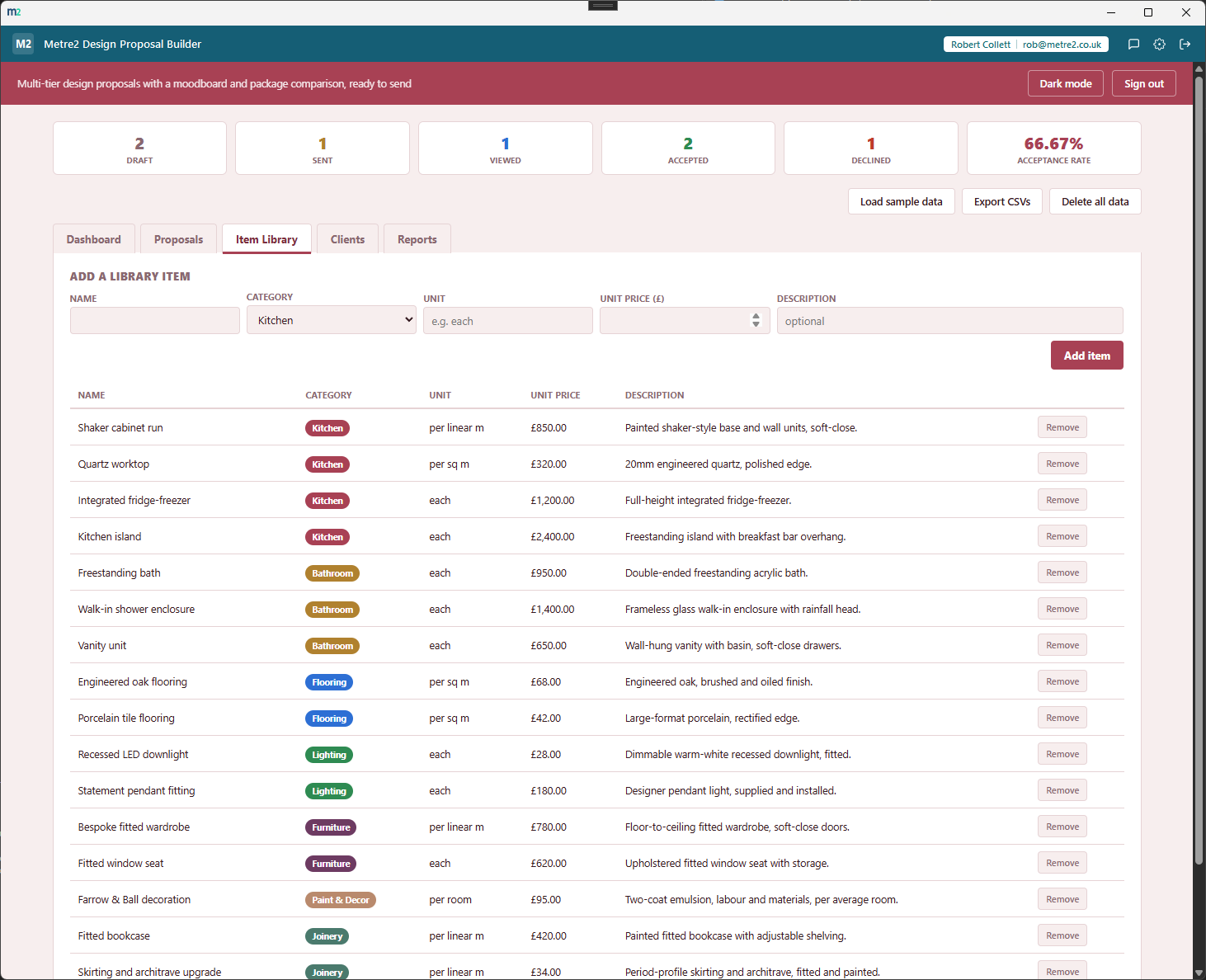
The Dashboard's tier comparison board, the Proposals list, the item library, clients, editing a proposal's moodboard and package tiers, and category spend and tier popularity reports - all built from your own item library and client data.
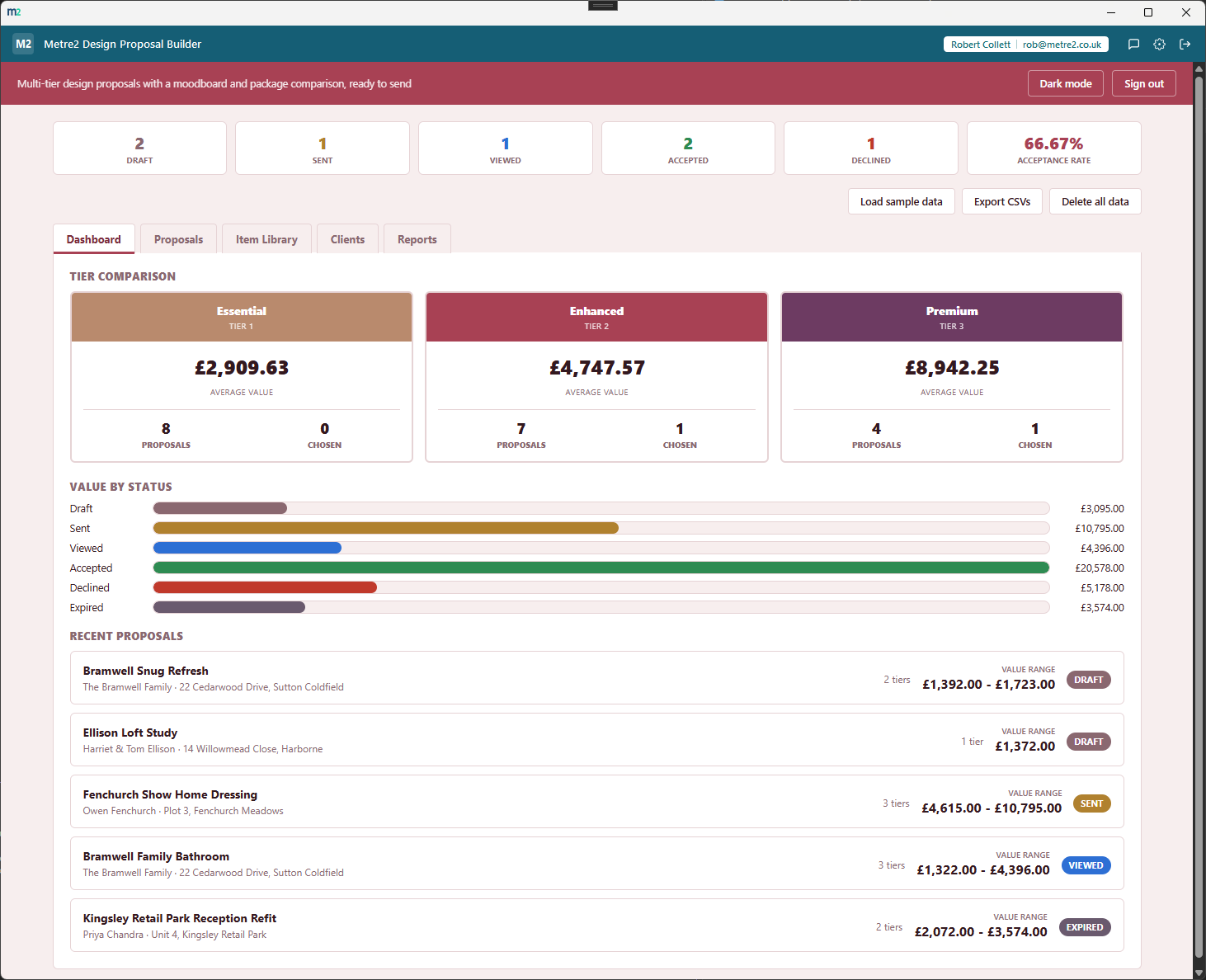
Dashboard - the tier comparison board, average value and win rate per tier
Proposals - every proposal, searchable and filterable by status
Item Library - a reusable catalogue with category, unit and price
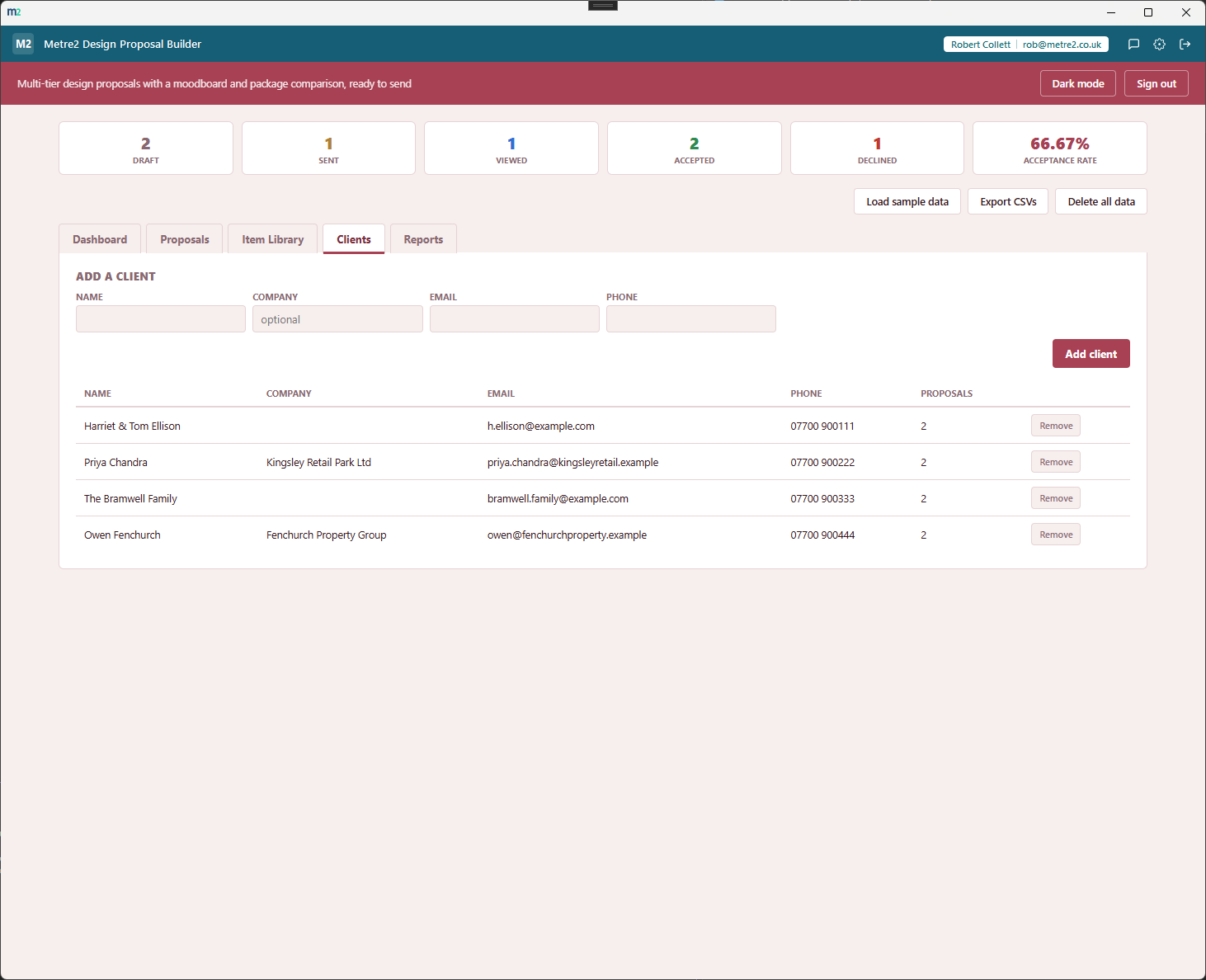
Clients - every client behind a proposal, with contact details
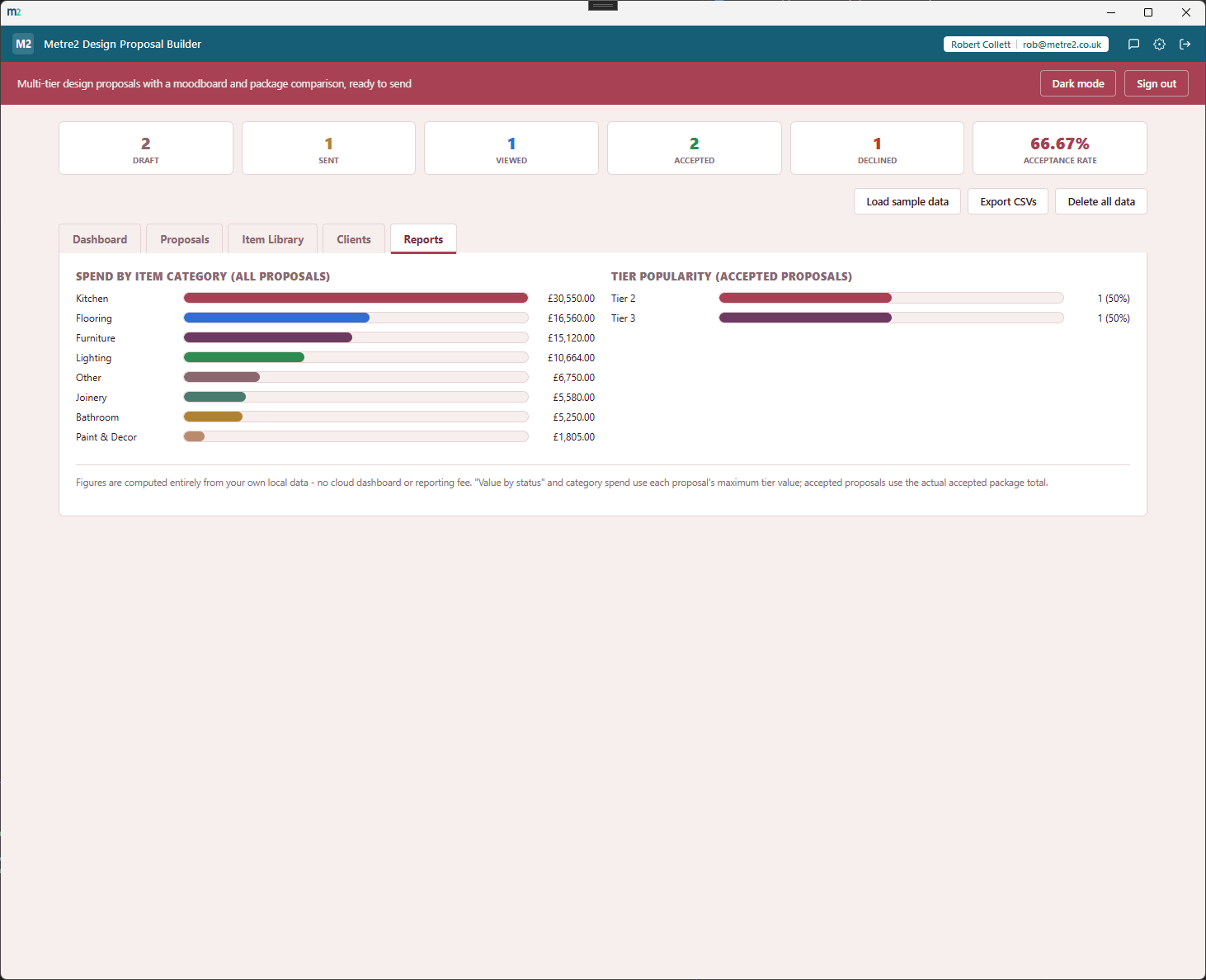
Reports - spend by item category, and which tier gets chosen most
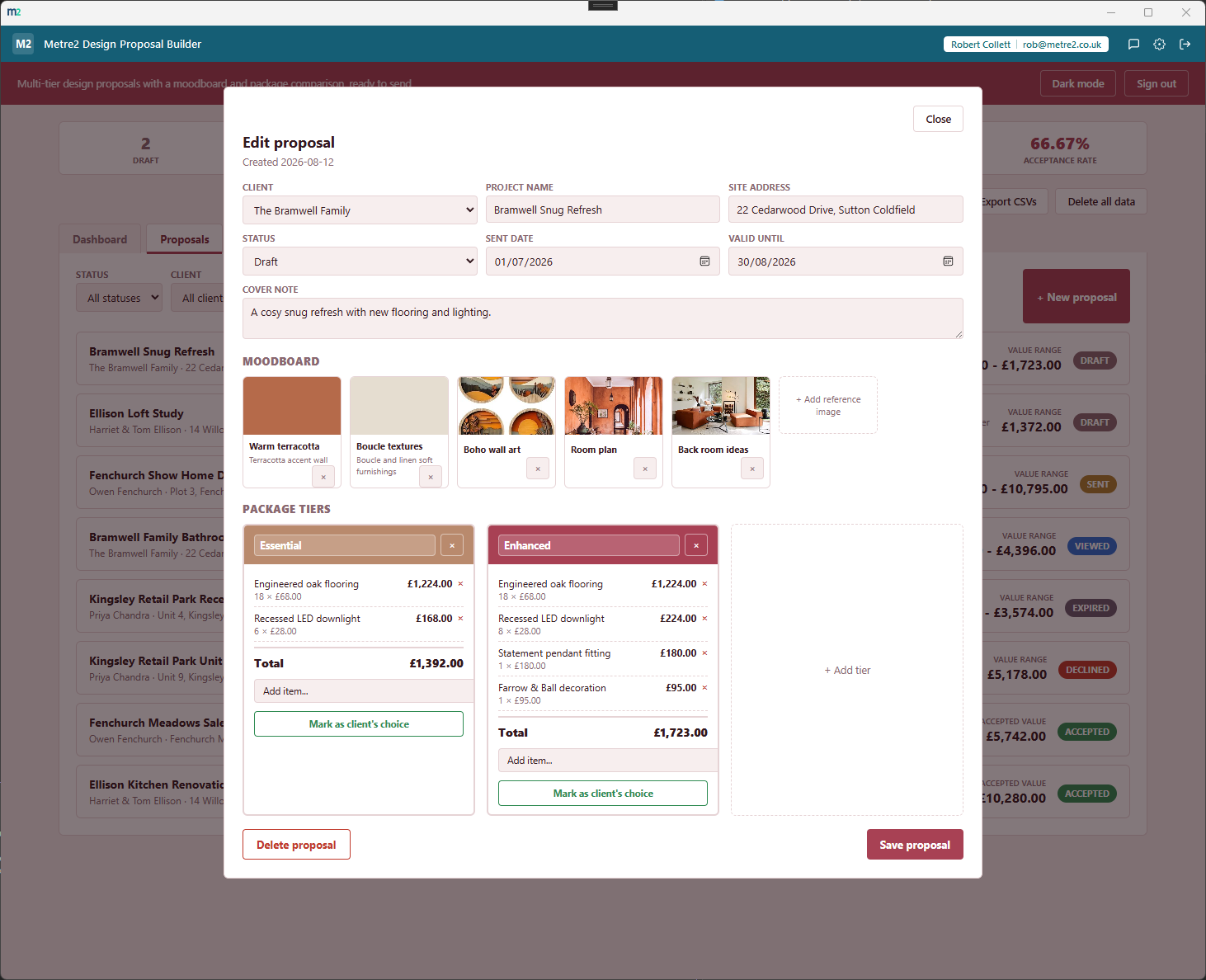
Edit proposal - the moodboard and priced package tiers, side by side
The tier comparison board
One column per tier level across every proposal you've sent - Essential, Enhanced,
Premium - each showing average value, how many proposals included it, and how many
were accepted, so you can see which package actually sells.
Multi-tier packages per proposal
Any number of priced tiers on one proposal, each with its own line items - so a
client sees Essential, Enhanced and Premium side by side and picks the one that
fits, instead of a single take-it-or-leave-it total.
A reference-image moodboard
Upload fabric swatches, finish samples and inspiration shots straight into the
proposal - resized and compressed automatically so they stay lightweight - so the
look and the price sit together for the client.
A reusable item library
Build your catalogue once - furniture, lighting, soft furnishings, joinery, flooring,
accessories - with category, unit and price, then add items to any proposal's
package in a couple of clicks.
Prices snapshot, never drift
Adding an item to a proposal locks in that item's price at that moment - so editing
the library later never quietly changes a proposal a client has already accepted.
Status tracked automatically
Draft, Sent, Viewed, Accepted, Declined - and a proposal quietly flips to Expired on
its own once the valid-until date passes, without you having to remember to update
it by hand.
Reports, no spreadsheet
Spend broken down by item category and a tier popularity chart showing which package
level clients actually choose - built entirely from your own local data.
Clients, CSV export, light/dark theme
A simple client list behind every proposal, CSV export of proposals, clients and the
item library at any time, and light/dark theme with realistic sample data included
from the start.
How it compares to Houzz Pro
Houzz Pro is a well-known all-in-one platform for design and remodelling professionals,
including branded client proposals. Here's how a focused, one-off desktop proposal
builder compares for a design studio that just needs tiered proposals done well, without
a monthly per-seat contract.
Feature
Design Proposal Builder
Houzz Pro
Pricing model
One-off after a trial - no per-seat fee
From about $249/month (Pro plan, 1 seat) plus about $60/month per extra user, 12-month minimum contract
Multiple priced tiers/packages on one proposal
✓
✕ (single proposal total)
Tier comparison board (average value, win rate per tier)
✓
✕
3D floor plans and visual room design tools
✕
✓
Project management, scheduling and client portal
✕
✓
Works fully offline, no account data leaves your machine
✓
✕
One account across a whole app portfolio
✓
✕
Comparison based on Houzz Pro's publicly listed Pro plan pricing and trial terms as of
August 2026 (houzz.com and third-party pricing summaries) - features and pricing change
over time, so check houzz.com for current details. Houzz Pro is a trademark of its
respective owner; this comparison is for informational purposes and isn't sponsored by
or affiliated with Houzz.
Frequently asked questions
Do I need to install anything to use Design Proposal Builder?
It's a Windows desktop app, submitted to the Microsoft Store for certification (2026-08-17) but not yet certified - a live Store listing will follow once certification completes.
How is this different from Quoting & Invoicing Suite?
Quoting & Invoicing Suite builds a single flat quote and carries it through to an invoice with payment tracking. Design Proposal Builder is scoped to the proposal stage only, for design and fit-out work specifically - every proposal can carry several priced tiers (Essential/Enhanced/Premium) side by side, plus a reference-image moodboard, so a client can compare packages before you've won the job. It doesn't invoice.
What's the tier comparison board?
A Dashboard view with one column per tier level found across all your proposals, each showing the average proposal value, how many proposals included that tier, and how many were accepted at that tier - so you can see at a glance which package level actually sells.
How does the item library work?
Build a catalogue of items once - furniture, lighting, soft furnishings, joinery, flooring, accessories - each with a category, unit and price. Adding an item to a proposal's package snapshots that price at the time, so editing the library later never retroactively changes a proposal you've already sent or a client has already accepted.
What's the moodboard for?
Each proposal has its own strip of reference images - fabric swatches, finish samples, inspiration shots - uploaded and stored locally, resized automatically so they stay lightweight. It sits alongside the priced packages so the client sees the look and the cost together.
Does my Design Proposal Builder account work with Vector and Forma?
Yes - Design Proposal Builder uses the same shared Metre2 account as Vector, Forma and every other Keystone app. Sign in once and it works everywhere.